
Changing Servers
 Reading Time: 3 minutes
 You’re on this page for one of two reasons:
1. You’re learning the game and wanted to discover how to visit other servers (also called states) to participate in events and plunder resources.
or…
2. Somebody else wants you to stop unwittingly stealing their stuff.
Whichever is the case, you’re in the right place.
Step One:
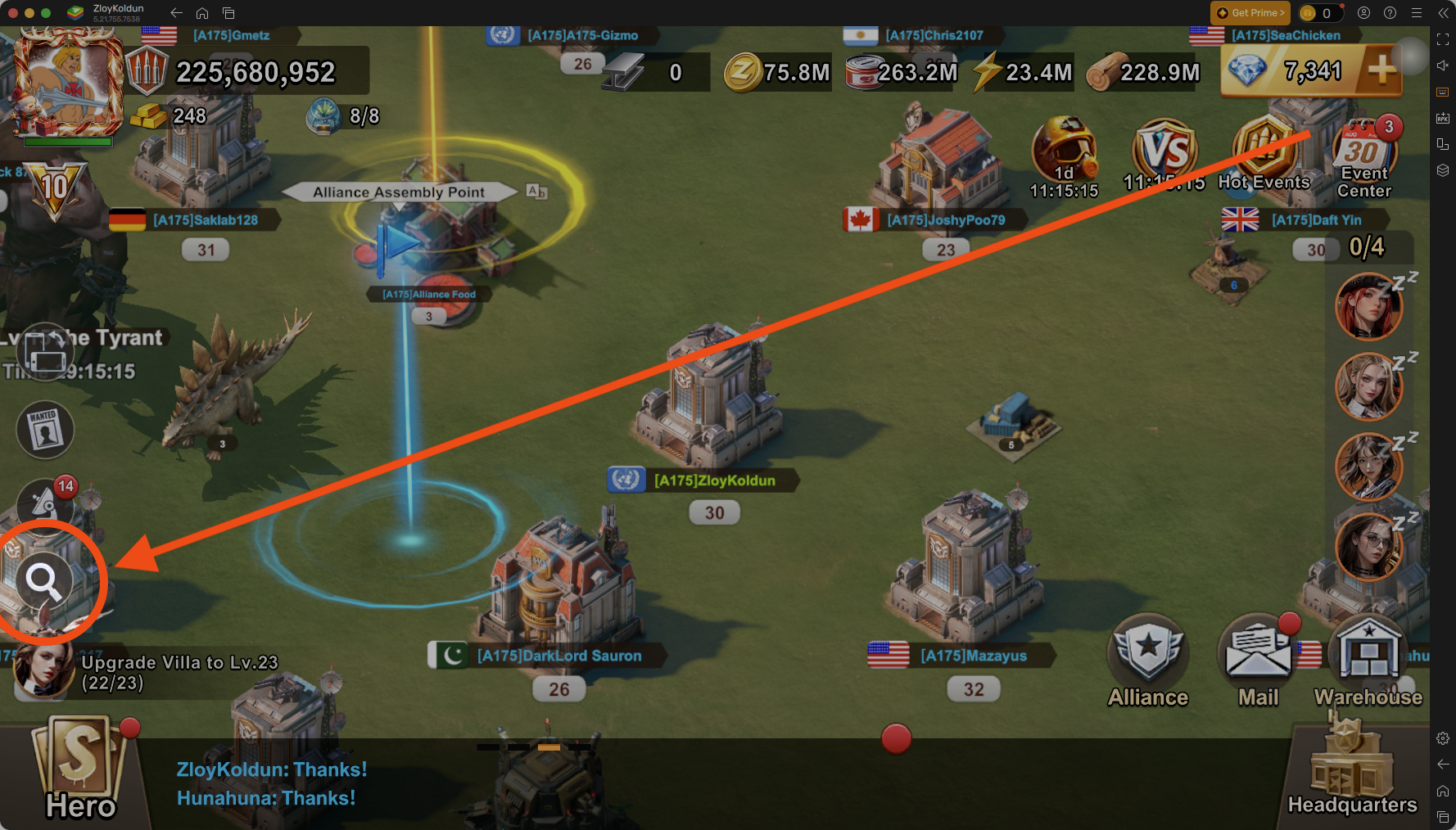
In World View, click the Magnifying Glass on the bottom left of your screen.
Step Two:
An information box will appear at the top of your screen. Pay attention to this.
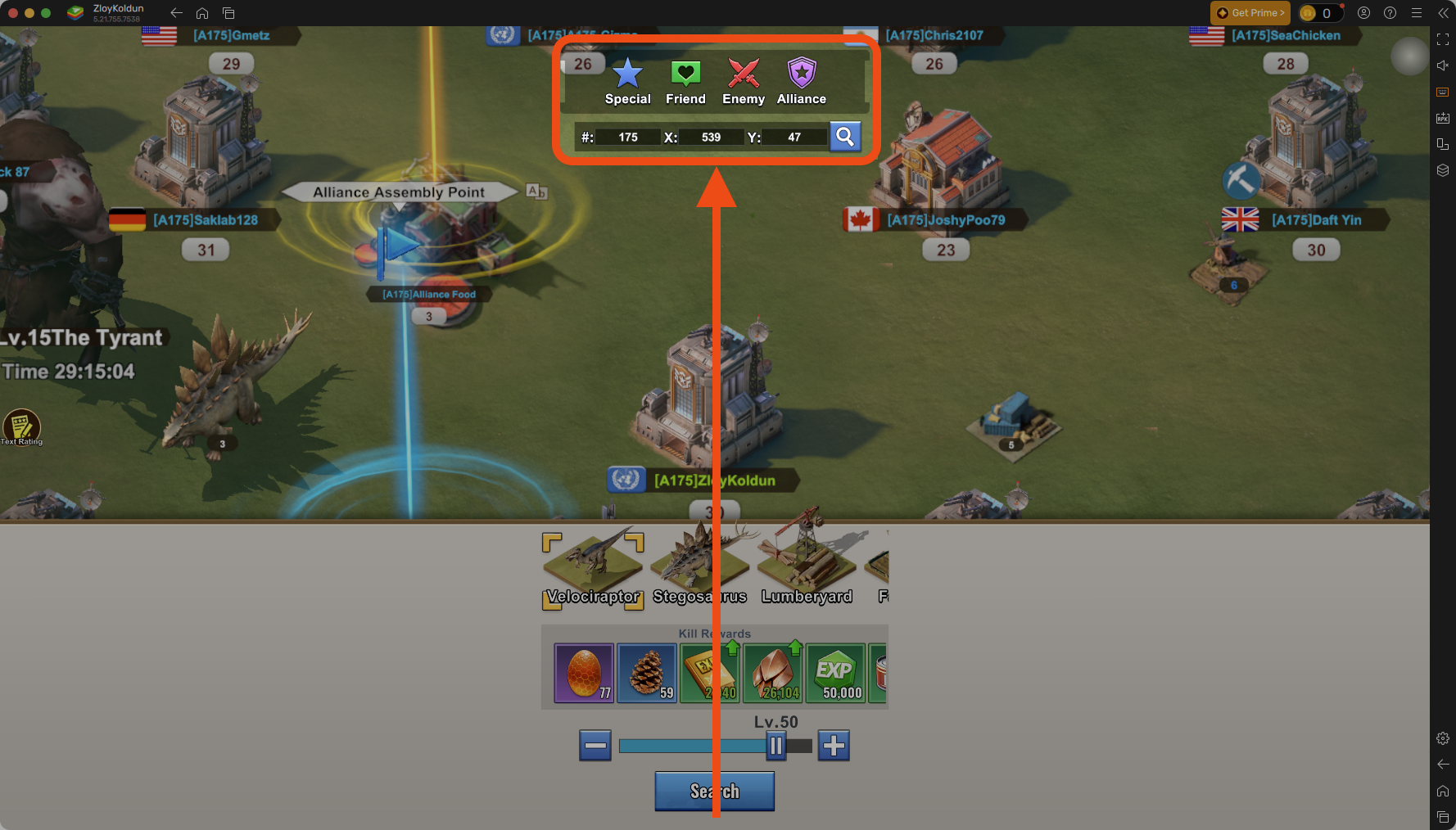
The three text boxes at the bottom allow you to define:
- #: Server (also called State)
- X: The x coordinate on the map
- Y: The y coordinate on the map
If middle school was decades ago for you, and you’ve since forgotten Algebra and don’t know how to use Cartesian coordinates, that’s okay. You don’t need them for this exercise.
Step Three:
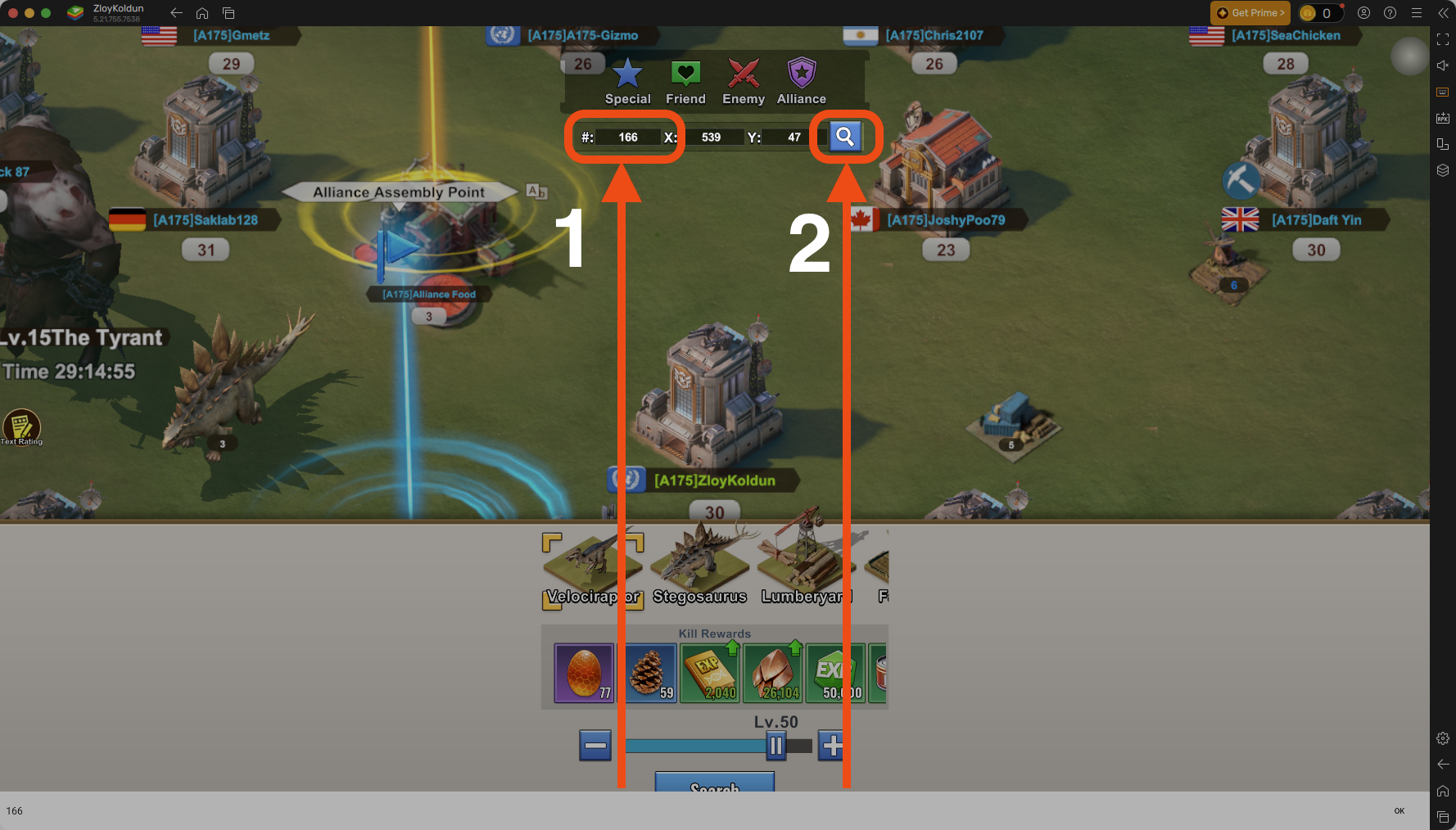
- In the first box, type the number of the server you want to visit.
- Tap the blue magnifying glass icon on the right.
I typically recommend visiting servers that we’re actively competing against. For example, during State Ruler weeks, choose the server we’re fighting against. And on other weeks, choose your Enemy Buster opponents. But remember, the most important thing is that you’re NOT on 175, which is our server.
Step Four:
When you’ve successfully arrived, a box will appear telling you which server you’re looking at.
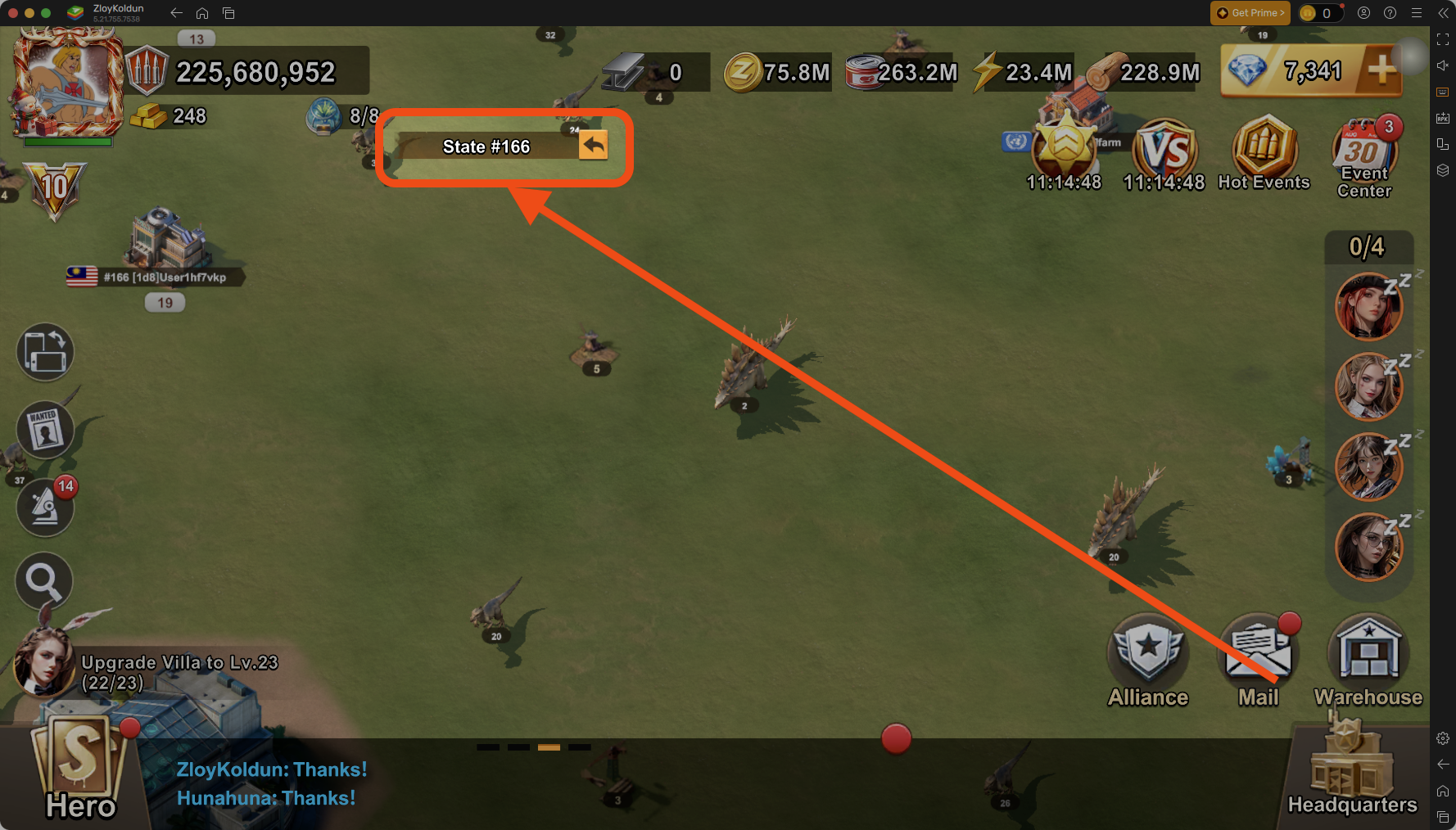
Note the small arrow on the right side of the box; tapping this will return you home.
Step Five:
Zoom out of the map so you can choose which regions or zones you want to visit.
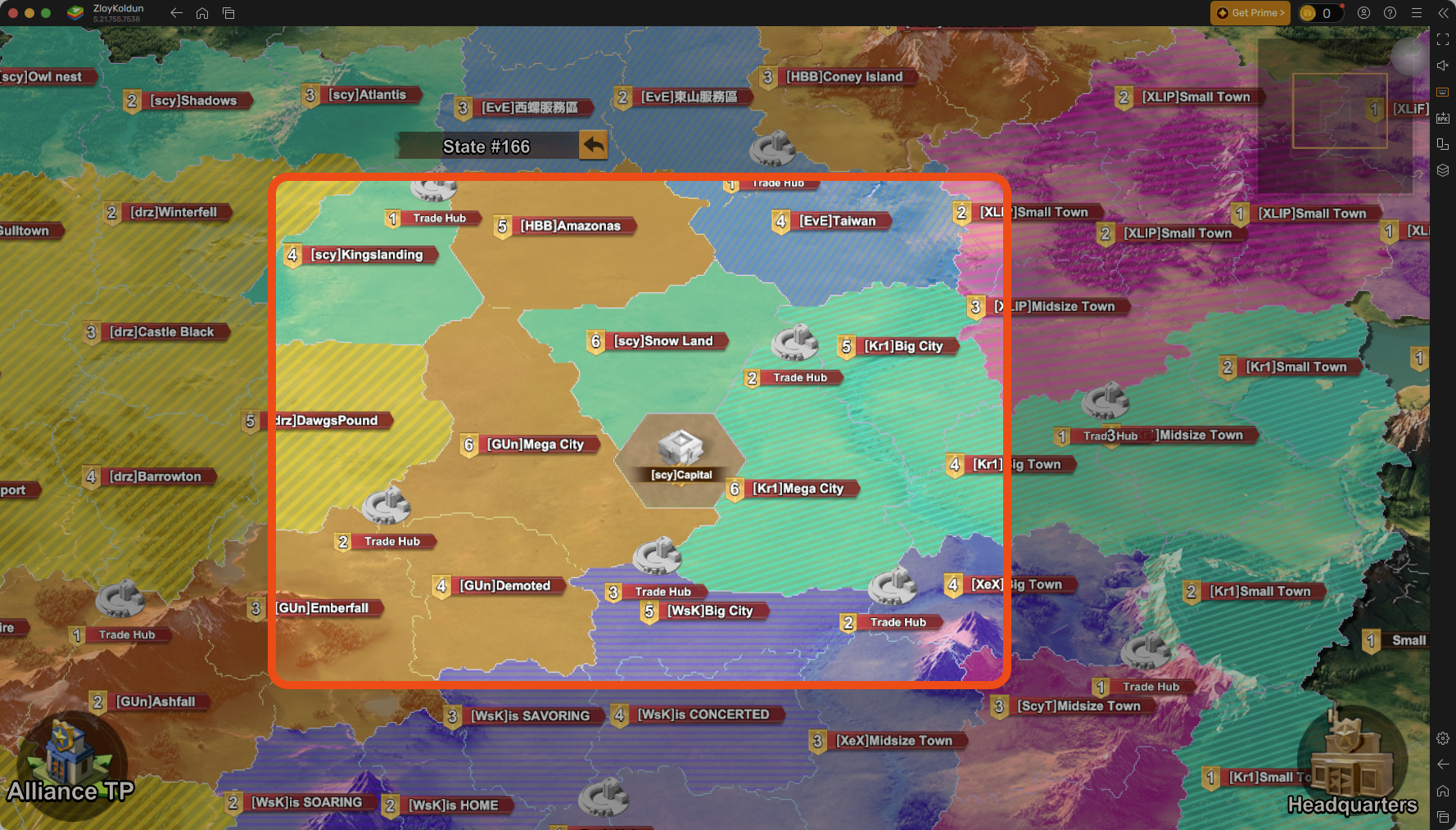
I like to visit cities in the middle around the capital. I find them to have the greatest population — and therefore trucks and bounties are easier to find.
Step Six:
When you find trucks and bounties, plunder them until you can’t plunder more.
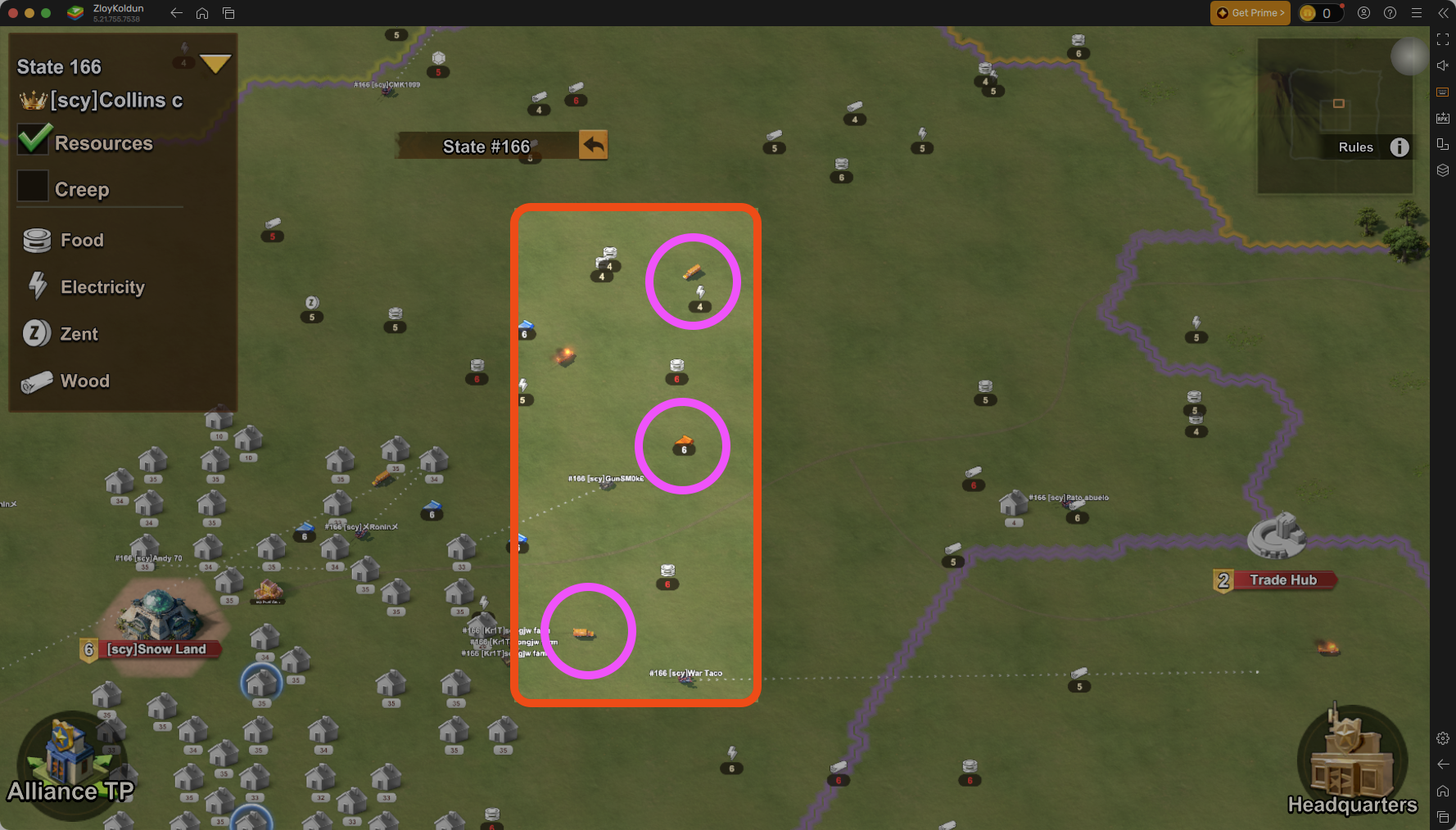
I like to visit cities in the middle around the capital. I find them to have the greatest population — and therefore trucks and bounties are easier to find.
Step Seven:
Time to go home. Click the Return arrow.
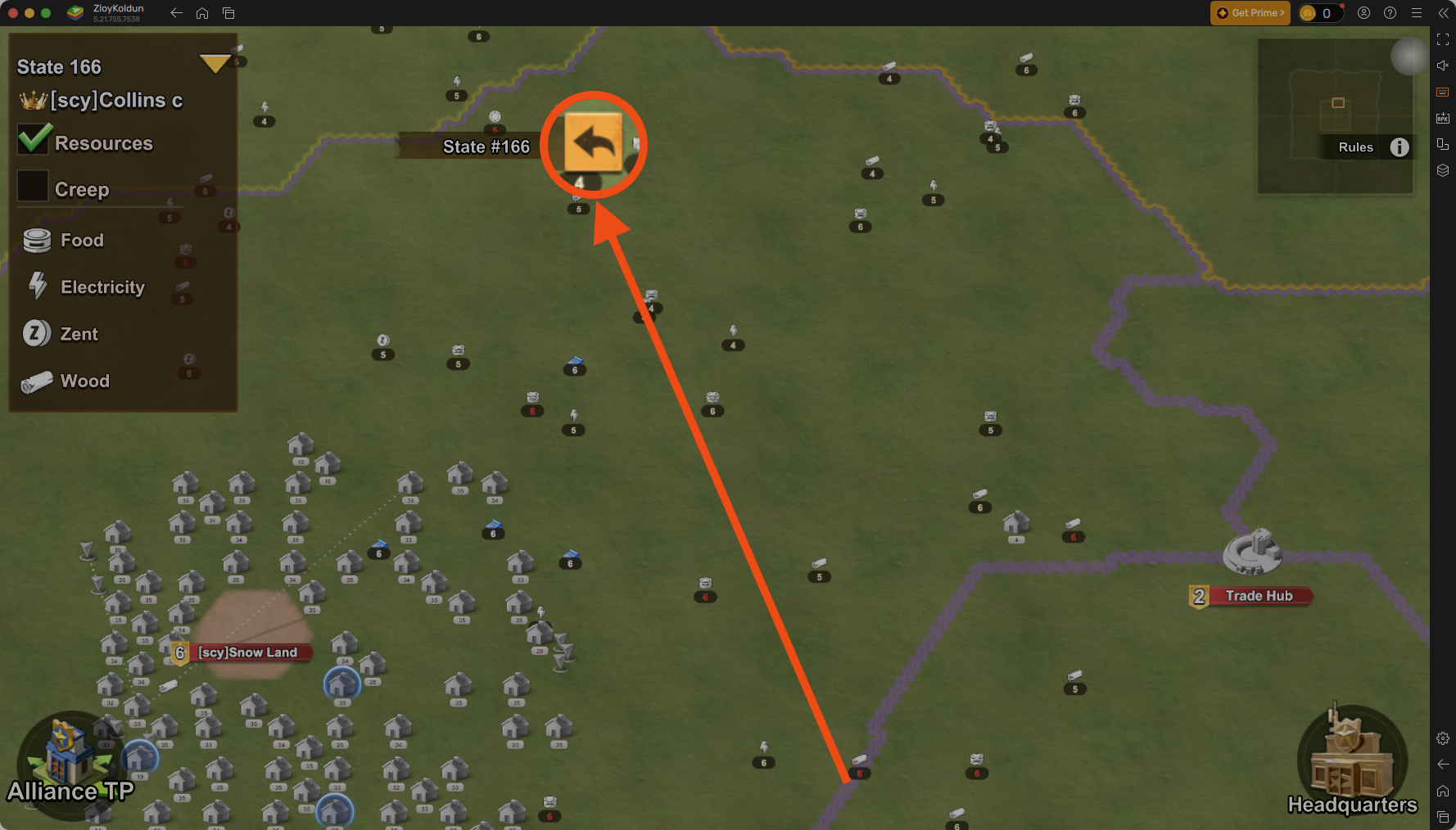
It’s not really that big. I just enlarged it for the illustration.